How to Choose the Best Gaming Monitors by Genre: A Complete 2026 Guide
Monitors
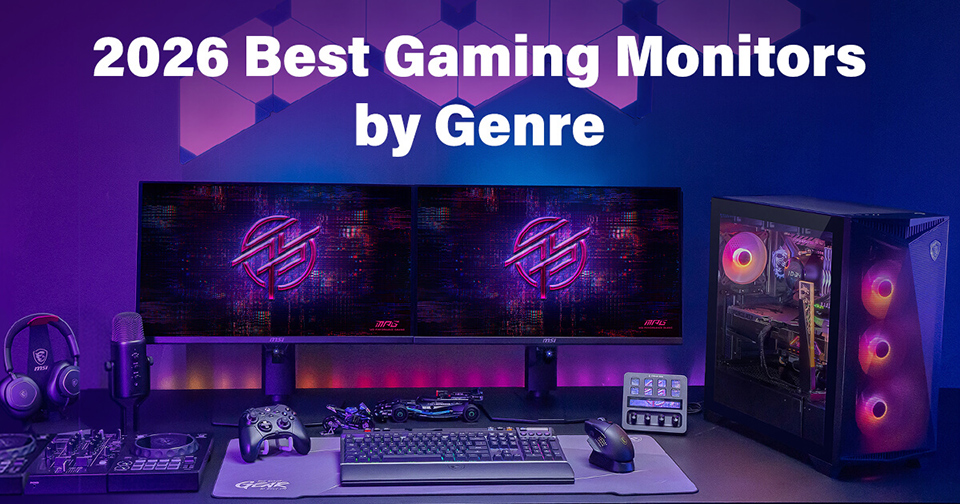
Picking the best gaming monitor isn’t that easy. There are countless general purpose gaming monitors readily available, but for the ultimate experience, a savvy user will cherry-pick a screen to match their favorite gaming genre. To help you in this important quest, we’ve put together a complete guide on how to choose the best gaming monitors by genre. Below, we’ll decode the critical features and performance metrics to help you decide what is the best gaming monitor – for you, and your games.
In 2026, the spectrum of games is so broad, an optimal gaming monitor choice can raise your performance, immersion, and enjoyment. On the flip side, buying the wrong kind of monitor for your AAA, FPS, RPG, RTS, SIM, or console gaming pursuits could hold you back, and spoil the fun.
So, let us guide you through the best gaming monitor minefield. See you, safely, on the other side.
VA, IPS, TN, Mini-LED, OLED what?
Before we get into talking about any specific game genre, or gaming monitor, it is important to ponder over the currently popular display panel technologies and supporting specifications we will be weighing for suitability across various gaming genres.
Since there are many strengths and qualities to balance when choosing a monitor, it is probably clearest to present the comparison using a table.
Panel Type
Core Strengths
Considerations
Best Use Cases
TN
Fast response time
Lower contrast, narrower viewing angles
Competitive FPS
VA
High contrast, deep blacks, good dark‑scene performance
Dark‑transition smearing
RPGs, cinematic AAA games, slower paced gaming
IPS
Great color accuracy, wide viewing angles, fast response
Lower contrast, grayish blacks
color‑critical work, mixed gaming
Mini‑LED
Very bright, strong HDR, many dimming zones
Possible blooming, color uniformity
HDR gaming, bright rooms, hybrid productivity
OLED
Perfect blacks, instant response, best motion clarity, superb HDR
Burn‑in risk, lower full‑screen brightness, text fringing
Competitive FPS, immersive gaming, dark rooms
LCDs of both VA and IPS types have been established favorites among gamers for many years. For TN panels, they still have some niche appeal among the most competitive esports gamers.
Recently Mini-LED and OLED type monitors have been making big inroads, becoming pride-of-place on many gamers’ desks. The latter, especially, seems to have momentum across many gaming genres.
OLEDs used to have a reputation for being pricey, with elevated burn-in risk, but recent research shows these monitors are more durable than ever. MSI, for example, moved OLED durability significantly forward last year, when it introduced MSI OLED Care 3.0. This is an AI Care Sensor driven suite that smartly brightness, colour temperature, dimming, and presence‑based parameters to minimize burn-in mechanisms.
Pricing of OLEDs has tumbled with this screen technology’s increase in popularity, too. While they generally still carry a higher price tag in 2026, choosing one ultimately comes down to your personal preferences and gaming priorities.
It isn’t all about the Hertz
Our table already makes it clear that the very marketable ‘Hz’ figures aren’t the be-all-and-end-all of a monitor specification. We also need to weigh typical response times and color quality features like HDR, contrast, brightness, black depth, motion blur, viewing angles, and more.
When shopping for the best gaming monitor you are also advised to look for quality of life specs and features such as panel size, display resolution (1080p, 2K, 4K, etc), aspect ratio, screen curvature, support for adaptive sync technologies, input lag, dedicated gaming settings and modes, mounts/stands, connectivity, KVMs, USB hubs, speakers, and more.
Clearly, there are a lot of specs, features, and price factors to balance to make the optimal gaming monitor choice. But, to save you the headache, we’ve weighed up this complex matrix of gaming monitor ingredients, and formulated the following recommendations, split by gaming genre.
- Competitive FPS
- 4K AAA (Cinematic RPGs / Open World)
- Simulation & Immersion (Racing & Flight Sims)
- Console Gaming (PS5 / Xbox)
- Dual Mode
1. Best Gaming Monitors for Competitive FPS
Players of fast-paced competitive gaming titles, often in the first-person shooter (FPS) genre, will want to maximize the monitor’s motion clarity. Thus, with refresh rates of 240Hz and above already ticked off, particular attention needs to be paid to a handful of other key specs.
We’d recommend the next most important specs to check would be G‑Sync Compatible or FreeSync Premium technology support.
Some monitors include custom game settings, which will also be useful here. Features that are variously described as ‘AI Vision’ or ‘Night Vision’ can help you more easily see foes in the shade. MSI-specific features like AI Crosshair and Optix Scope can also do wonders for your targeting accuracy.
Until recently FPS gamers were well known to favor <25-inch 1080p monitors. However, there’s definite movement towards 27-inch 1440p monitors for FPS and esports.
Our ultimate choice for this category of gamer would probably be the MPG 271QR QD-OLED X50 (OLED), MPG 272QRF X36 (Rapid IPS, G-SYNC Pulsar) or MPG 242R X60N (Rapid TN).
2. Best Gaming Monitors for 4K AAA (Cinematic RPGs / Open World)
Those with a preference for AAA gaming will be on the lookout for the greatest visual fidelity and high contrast to help render the cinematic richly embellished environments and worlds where they enjoy their adventures.
These gamers aren’t chasing the absolute best competitive monitor performance. Adventuring doesn’t require twitchy responses that often, but is greatly enhanced by additional visual detail (4K, ultra textures) that typically puts the brakes on frame rates.
Here we’d recommend a 4K screen, with a 32-inch diagonal, and definitely a QD-OLED or Mini-LED display panel for the expanded color gamut, HDR capabilities, and enhanced contrast.
A sweet spot pick among 4K AAA gaming monitors would be the MAG 321UP QD-OLED X24, with its stunning DarkArmor film and 5-Layer Tandem OLED display.
3. Best Gaming Monitors for Simulation & Immersion (racing & flight Sims)
Gone are the days when gaming simulations needed oodles of monitors to provide thrilling levels of immersion. In 2026 extremely wide horizontal field of view (21:9 / 32:9 Ultrawide) monitors are plentiful. Consumers can now easily find 49-inch DQHD models like the MSI MPG 491CQPX QD-OLED which equates to two QHD displays joined together in a graceful, seamless, perception enveloping vista.
Moreover, the new breed of curved screens really draw you in with curvature radii such as 1800R commonplace. The curves combine with your favorite ergonomic, tactile, and realistic controls, like cockpits, steering wheels, pedals, and so on to boost the SIM realism several notches.
Though we namechecked the expansive 49-inch MPG model above, our balanced pick for the simulation gaming category would probably be the MPG 341CQR QD-OLED X36. Again, the DarkArmor film and 5-Layer Tandem OLED display used in this fast performing widescreen is so difficult to resist.
4. Best Gaming Monitors for Console Gaming (PS5/Xbox)
To fully unleash the visuals from your powerful modern games console like Sony PlayStation 5 or Microsoft Xbox Series X it is important to pair it with a great screen.
We’d advise console owners to write a checklist for the truest and slickest experience, and it should include at least these four features:
- HDMI 2.1 to fully support 4K at 120Hz and prevent bottlenecks between the console’s GPU and your screen, even when outputting HDR visuals.
- VRR – variable refresh rate support for smooth tear-free visuals ramping up to 120Hz at 4K 2160p.
- CEC – Consumer Electronics Control technology support so your console controller can seamlessly wake up and mode switch your screen.
- ALLM – Auto Low Latency Mode for smooth, lag-free gaming experiences.
Within the MSI gaming monitors stables, there are several models with explicit support to all the technologies checked above – as well as offering delicious features like expansive, curved, high resolution, wide color gamut panels. Perhaps a sweet spot choice would be the PCMag Editor’s Choice Award winner, the MPG 322UR QD-OLED X24. This particular gaming monitor also has our latest Gaming Intelligence and modern console gaming essentials like the aforementioned HDMI 2.1, VRR, and ALLM.
5. Best Gaming Monitors for Versatility: Dual Mode
Why Choose? Recently monitor designers have been rolling out models with dual-mode panels. In brief, these use display panels that can provide superlative refresh rates at scaled down resolutions – or excellent refresh rates at full resolution. It doesn’t need your graphics card to process any scaling, it’s all done natively by the built-in electronics.
It is probably best to give an example of a modern Dual Mode monitor to illustrate its capabilities. A prime example from MSI is the MPG 274URDFW E16M Gaming Monitor. This is a premium design based around a 27-inch Rapid IPS display with Quantum Dot technology and Mini-LED dimming technology for stunning contrast.
Getting to the punch line – this monitor’s display panel can run at UHD 160Hz or FHD 320Hz. You instantly switch mode with a one-click button on the front/bottom bezel. While we are talking about the MPG 274URDFW E16M, it would be a shame not to highlight its DisplayHDR 1000 rating, 1,152 full-array local dimming zones, 100% Adobe RGB color gamut, Gaming Intelligence features, and even AI Menu for automatic smart mode and feature choices.
MSI monitors with Dual Mode can seamlessly switch between resolutions, allowing you to enjoy 4K for AAA games or FHD for FPS titles.
Summary: Best Gaming Monitor Recommendations
Model
Excels in this genre
Panel size / type
Special features
Competitive FPS – high frame rate, responsive
26.5-inch QD-OLED with 2560x1440 pixels, 500Hz refresh rate, and 0.03ms response time
Low input lag, 99% DCI-P3 gamut, KVM, 3yr OLED warranty, HDMI 2.1, DP 2.1a, USB-C (DP-Alt) with 98W PD, console mode
4K AAA, (Cinematic RPGs / Open World)
31.5-inch QD-OLED with 3840x2160 pixels, 240Hz refresh, and 0.03ms response time
DarkArmor film, 5-Layer Tandem OLED display, VESA ClearMR 13000 and DisplayHDR True Black 500, HDMI 2.1, VRR, and ALLM
Simulation and immersion
Wide 34-inch QD-OLED with 3440x1440 pixels, 360Hz refresh, and 0.03ms response time
DarkArmor film Tandem-OLED display, VESA ClearMR 13000 and DisplayHDR True Black 500, HDMI 2.1, VRR, and ALLM
Console gaming
31.5-inch QD-OLED with 3840x2160 pixels, 240Hz refresh rate, and 0.03ms response time
Low input lag, 99% DCI-P3 gamut, KVM, 3yr OLED warranty, HDMI 2.1, DP 2.1a, USB-C (DP-Alt) with 98W PD, console mode
Dual-Mode versatility
27-inch Rapid IPS with Mini-LED (1152 Zones) with 3840 x 2160 at 160Hz, or 1920 x 1080 at 320Hz, and 0.5ms response time
One-click mode switch, QD enhanced 98% DCI-P3 gamut, DisplayHDR 1000, HDMI 2.1, DP 1.4a, USB-C (DP-Alt) with 98W PDms
We must also mention that the above best gaming monitor picks all come with MSI’s attractive AI Navigator and Gaming Intelligence features built-in.
Love gaming, but often busy with productivity and content creation?
If you are not quite so laser-focused on gaming, and would like help choosing a monitor which is also a great pick for balanced for professional, office, and content creation tasks, please check out our Find Your Best Monitor Guide, which covers all the bases.