The Best Settings to Play Dragon’s Dogma 2 on PC
Desktops ,
Monitors
After ten years, Capcom finally released Dragon’s Dogma 2. This is the Dragon’s Dogma sequel. Based on previous the fantasy world, the player can be an “Arisen” again to fight the evil dragon with your “Pawns”. From Dragon’s Dogma to Dragon’s Dogma 2, the game has improved a lot compared to the previous generation. The most obvious part is the image quality has a big improvement leap. But, there are still a few performance issues and buggy problems that show up when the game is released. So today we will guide you on adjusting the graphic settings to play Dragon’s Dogma 2 flawless on the MSI gaming PC.

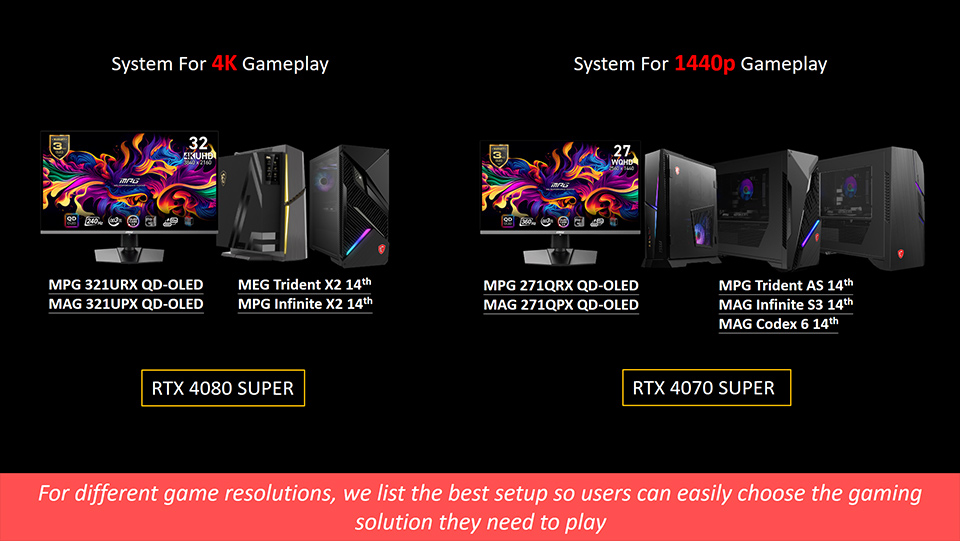
Because RTX 4070 SUPER and 4080 SUPER have different VRAM sizes. Based on this, we plan to make the RTX 4070 SUPER running game smooth as the priority. And RTX 4080 SUPER can push more VRAM on image quality. Here is a setting table for the Dragon's Dogma 2 game graphic settings.
Graphic Settings
RTX 4070 SUPER 12GB
RTX 4080 SUPER 16GB
DLSS Super Resolution
Auto
Balanced
DLSS NVIDIA Reflex Low Latency
On
On
Rendering Mode
Progressive
Progressive
Image Quality
5
7
Ray Tracing
Off
On
Ambient Occlusion
SDFAO
SDFAO
Anti-aliasing
FXAA + TAA
FXAA + TAA
Texture Quality
High (3GB)
High (3GB)
Grass/Tree Quality
High
High
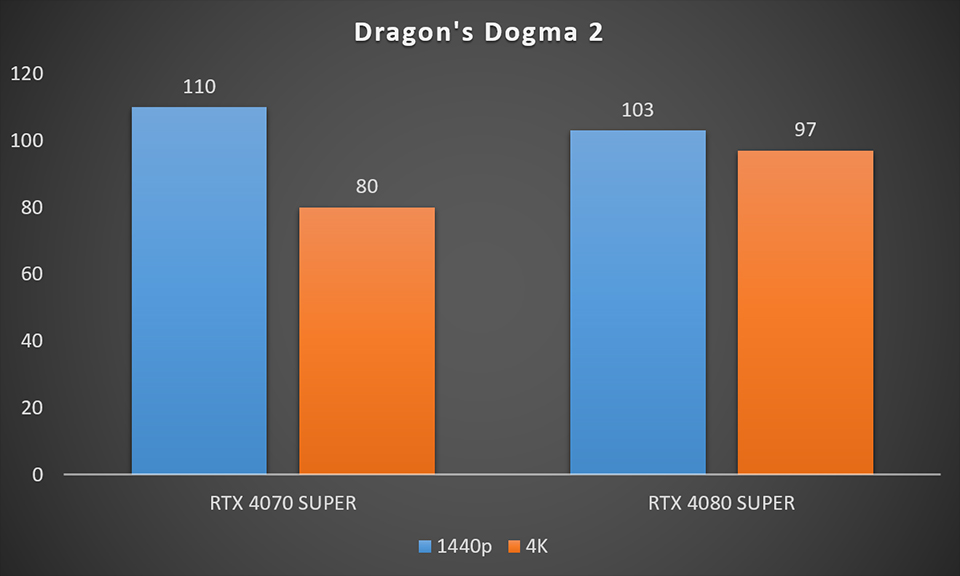
RTX 4080 SUPER has sufficient 16GB VRAM so it can push more resources on image quality. RTX 4070 SUPER is 12GB VRAM. Therefore, we focus on performance settings. Overall RTX 4080 SUPER can have the best performance on image quality in 1440p or 4K resolution with Ray Tracing. And RTX 4070 SUPER also can get a smooth game experience without Ray Tracing.
Ray Tracing is a powerful technology to simulate how light behaves in the real world and displays in-game. That’s why the modern game image quality can perform close to reality. It gives gamers an immersive experience. So A QD-OLED monitor will become another device to lead you into a true game world.
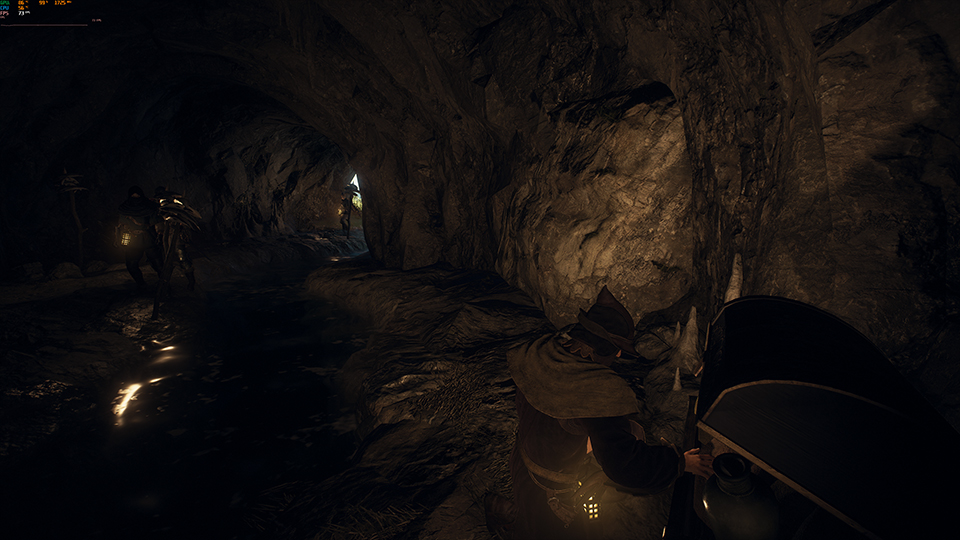
Ray Tracing High Setting at 4K resolution in the game Dragon’s Dogma 2.
Why you need a QD-OLED monitor to play the Ray Tracing game. QD-OLED is an OLED monitor combine Quantum Dot’s advantage. It can completely display color coverage and provide high color accuracy. This is why OLED monitor always support vivid color. Within Ray Tracing function perform, it makes game image looks very real. And cause OLED pixel character, the monitor can do the true black display without backlight bleeding. Especially, we turn on HDR mode in the game.
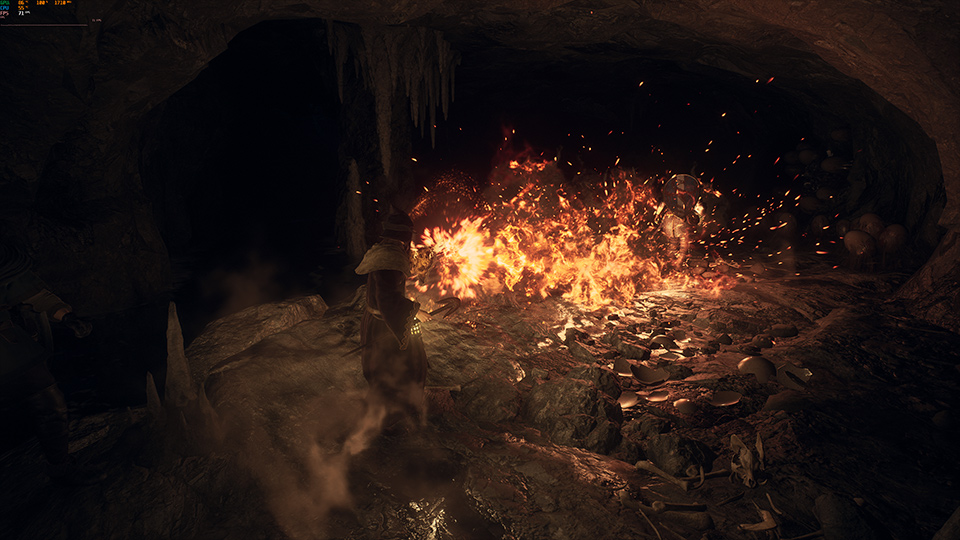
Dragon’s Dogma 2 support HDR mode and Ray Tracing function, can display more real detail on the screen.
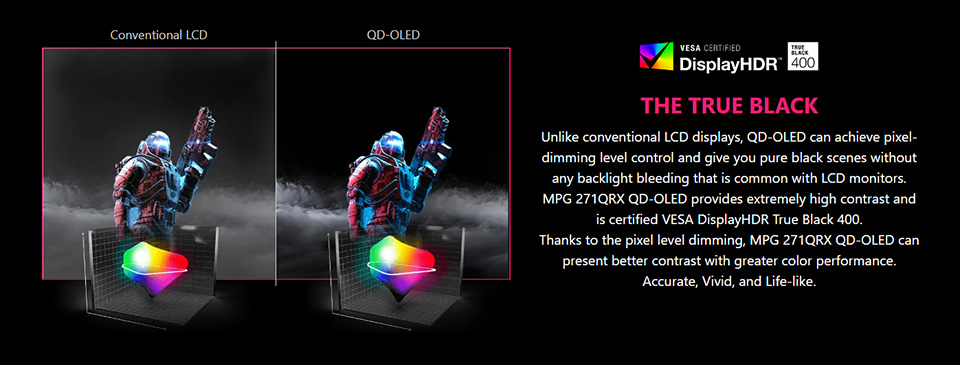
MSI QD-OLED monitor be certified by VESA TrueBlack 400. It can play the game support HDR mode or play HDR video and get gorgeous display on the screen. Moreover NVIDIA already released RTX HDR function which can play any content without HDR format then display HDR performance. So a QD-OLED monitor is your best choice to play Dragon's Dogma 2.
Dragon’s Dogma 2 support HDR mode and Ray Tracing function, can display more real detail on the screen.
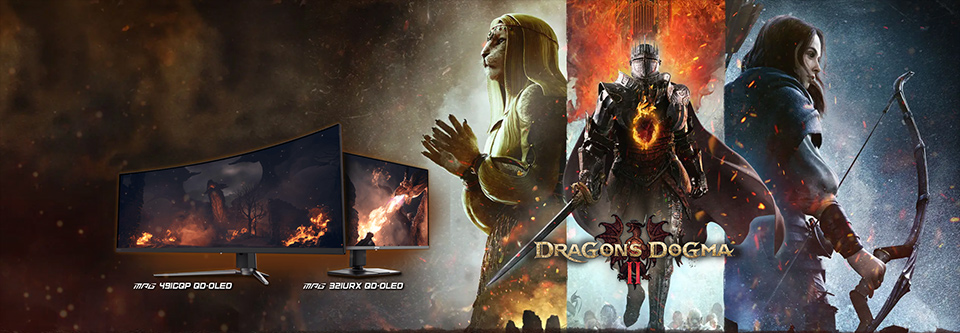
Arisen! Are your ready to start your Journey again. Buy a MSI eligible monitors then you can get a game Dragon’s Dogma 2 for free. Fight with your Pawns to defeat the dragon!
For more MSI monitor knowledge or Tutorial, you can visit our Monitor Lab for the latest information.
Monitor Lab: Link
Finally, if you are interested in playing different games on MSI gaming desktops and monitors, you can visit our website to find a suitable setup. Select the game you want to play, and your preferred monitor size and resolution, and the system will show you how the game performs.
Game Benchmark: Link
MSI QD-OLED Monitor list
MEG 342C QD-OLED: https://www.msi.com/Monitor/MEG-342C-QD-OLED
MPG 491CQP QD-OLED: https://www.msi.com/Monitor/MPG-491CQP-QD-OLED
MPG 321URX QD-OLED: https://www.msi.com/Monitor/MPG-321URX-QD-OLED
MPG 271QRX QD-OLED: https://www.msi.com/Monitor/MPG-271QRX-QD-OLED
MAG 341CQP QD-OLED: https://www.msi.com/Monitor/MAG-341CQP-QD-OLED
MAG 321UPX QD-OLED: https://www.msi.com/Monitor/MAG-321UPX-QD-OLED
MAG 271QPX QD-OLED: https://www.msi.com/Monitor/MAG-271QPX-QD-OLED
MEG 342C QD-OLED: https://www.msi.com/Monitor/MEG-342C-QD-OLED
MPG 491CQP QD-OLED: https://www.msi.com/Monitor/MPG-491CQP-QD-OLED
MPG 321URX QD-OLED: https://www.msi.com/Monitor/MPG-321URX-QD-OLED
MPG 271QRX QD-OLED: https://www.msi.com/Monitor/MPG-271QRX-QD-OLED
MAG 341CQP QD-OLED: https://www.msi.com/Monitor/MAG-341CQP-QD-OLED
MAG 321UPX QD-OLED: https://www.msi.com/Monitor/MAG-321UPX-QD-OLED
MAG 271QPX QD-OLED: https://www.msi.com/Monitor/MAG-271QPX-QD-OLED
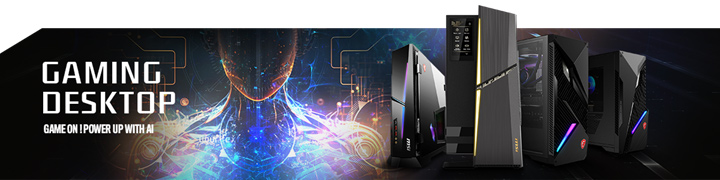
RTX 40 Super Graphic Card Support List
MEG Trident X2 14th: https://www.msi.com/Desktop/MEG-Trident-X2-14th
MPG Infinite X2 14th: https://www.msi.com/Desktop/MPG-Infinite-X2-14thD
MPG Trident AS 14th: https://www.msi.com/Desktop/MPG-Trident-AS-14th
MAG Infinite S3 14th: https://www.msi.com/Desktop/MAG-Infinite-S3-14th
MAG Codex 6 14th: https://www.msi.com/Desktop/MAG-Codex-6-14th
MEG Trident X2 14th: https://www.msi.com/Desktop/MEG-Trident-X2-14th
MPG Infinite X2 14th: https://www.msi.com/Desktop/MPG-Infinite-X2-14thD
MPG Trident AS 14th: https://www.msi.com/Desktop/MPG-Trident-AS-14th
MAG Infinite S3 14th: https://www.msi.com/Desktop/MAG-Infinite-S3-14th
MAG Codex 6 14th: https://www.msi.com/Desktop/MAG-Codex-6-14th