The Best Settings to Play Black Myth Wukong on OLED Monitor – By RTX HDR
Desktops ,
Monitors
2024 is shaping up to be an exciting year for gamers with the release of major titles like Palworld and Elden Ring: Shadow of the Erdtree. These games have captivated players worldwide, and now another highly anticipated title has joined the ranks—Black Myth: Wukong. This game has shattered records on the Steam platform, surpassing even Cyberpunk 2077, Elden Ring, and Palworld, with over 2 million concurrent players.

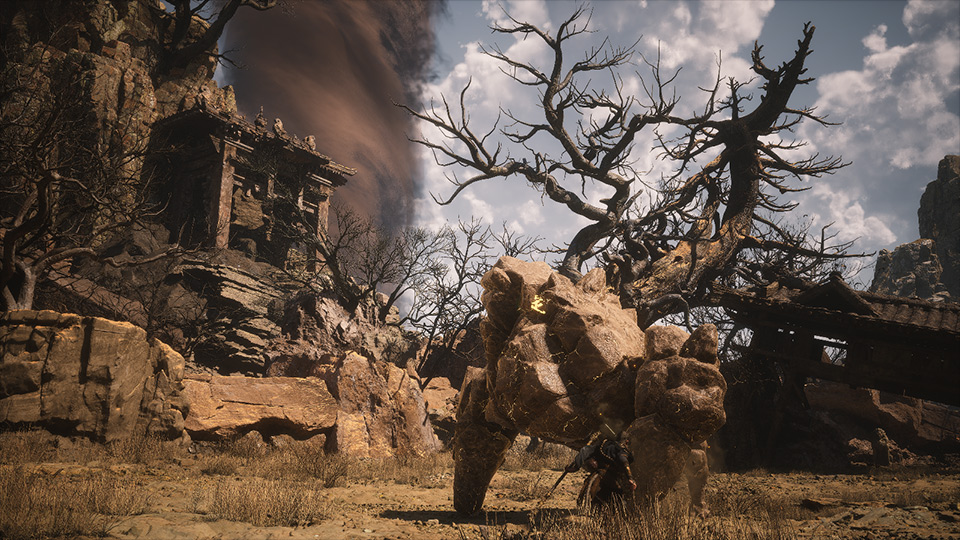
But what makes Black Myth: Wukong so popular? The game features a combat system reminiscent of the Souls-like genre and is rooted in the rich lore of Chinese mythology, specifically the classic tale Journey to the West. This unique blend of mythology and challenging gameplay has piqued the interest of gamers, especially since it’s rare to see a AAA game with such a distinctive cultural background. Furthermore, Black Myth: Wukong leverages the power of the Unreal Engine 5, pushing the boundaries of visual fidelity. The game’s environments—whether it’s the swaying trees, flowing rivers, or dynamic weather systems—appear almost lifelike, thanks to the implementation of Ray Tracing technology.

Ray Tracing has become essential in creating immersive gaming experiences. NVIDIA’s AI-driven technology mimics the behavior of light in the real world, delivering visuals that are incredibly close to reality. This technology not only enhances the overall image quality but also deepens the player’s immersion. To fully appreciate these visuals, a high-quality QD-OLED monitor is crucial.
The MPG 321URX QD-OLED and MAG 321UPX QD-OLED monitors are excellent choices for enjoying fast-paced action games like Black Myth: Wukong. These 4K monitors, with their ultra-high refresh rates, are designed to showcase every detail with stunning clarity. The OLED panels provide a wide color gamut, delivering vibrant and lifelike colors, while their self-dimming capabilities ensure perfect blacks in HDR content. This makes for an unparalleled gaming and viewing experience. However, Black Myth: Wukong doesn’t natively support HDR, which is a minor drawback. But with a few tweaks, you can enable RTX HDR using an NVIDIA GPU and fully experience HDR on an MSI QD-OLED monitor.
Here’s how to enable RTX HDR for the best Black Myth: Wukong experience:
- Ensure your GPU driver is updated to at least version 560.94.
- Open the NVIDIA Control Panel and navigate to “Manage 3D settings.”
- On the “Program Settings” tab, add Black Myth: Wukong to the preset by finding the file “b1-Win64-Shipping.exe” in your Steam installation folder.
- Enable Windows Auto HDR using the hotkey “Windows Key + ALT + B.”
- Return to the NVIDIA Control Panel, click on “Adjust Video Image Settings,” and check the “High Dynamic Range” box.
Now, you’re ready to enjoy Black Myth: Wukong in all its HDR glory on your MSI QD-OLED monitor.
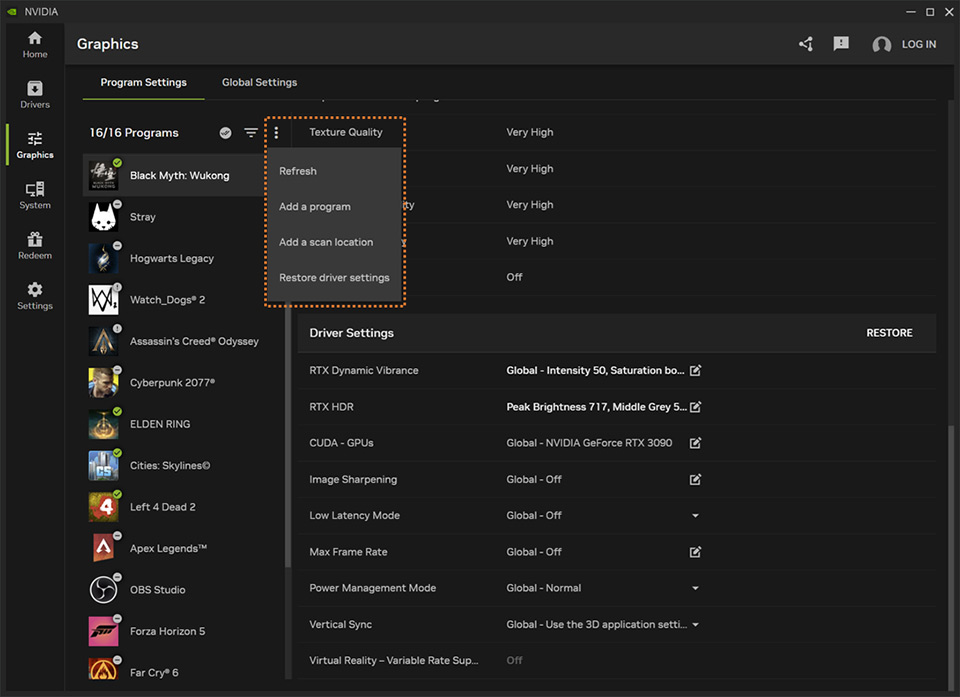
Black Myth Wukong game path could be in here, depending on the user drive to install.
“Steam/steamapps/common/BlackMythWukong/b1/binaries/win64/ b1-Win64-Shipping.exe”
“Steam/steamapps/common/BlackMythWukong/b1/binaries/win64/ b1-Win64-Shipping.exe”
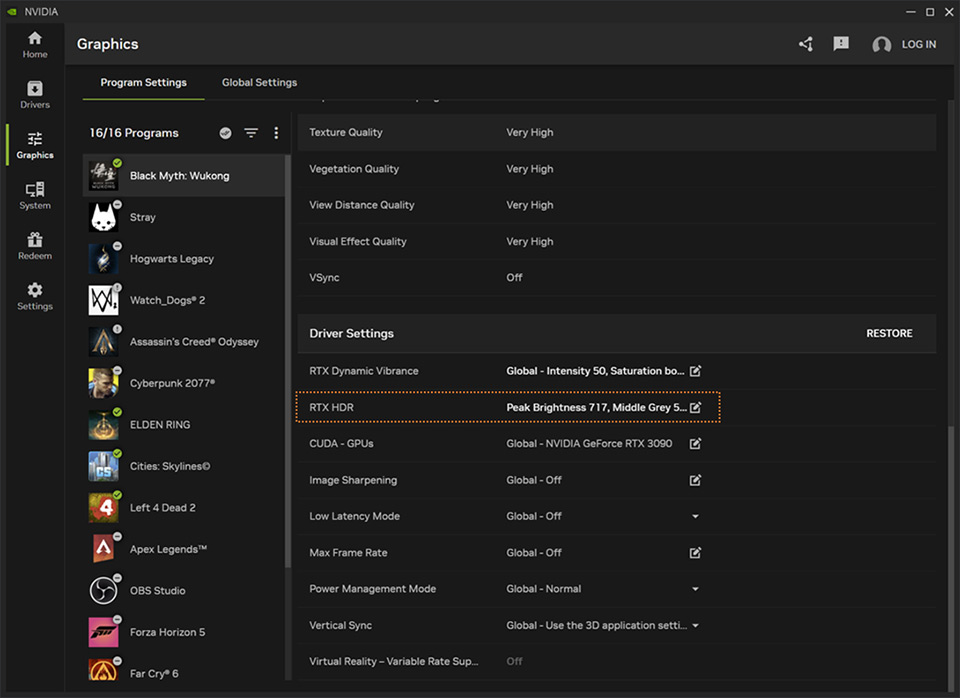
Remember to check the “High Dynamic Range” and then apply the setting to enjoy RTX HDR.
Finally, let’s discuss how MSI gaming desktops handle Black Myth: Wukong. We’ve tested several RTX 40 series graphics cards and optimized settings to ensure smooth gameplay and the best image quality. For your reference, you can easily assess the performance of MSI gaming desktops in delivering an exceptional gaming experience.
Series
RTX 4090
RTX 4080
RTX 4070 Ti Super
RTX 4070
Super Resolution
50
50
50
50
Super Resolution Sampling
DLSS
DLSS
DLSS
DLSS
Frame Generation
On
On
On
On
Full Ray Tracing Level
Very High
Medium
Medium
Medium
View Distance Quality
Very High
Very High
Very High
High
Anti-Aliasing Quality
Very High
Very High
Very High
High
Post-Effects Quality
Very High
Very High
High
High
Shadow Quality
Medium
Medium
Medium
Medium
Texture Quality
Cinematic
Very High
Very High
Very High
Visual Effect Quality
Very High
Very High
Very High
High
Hair Quality
Medium
Medium
Medium
Low
Vegetation Quality
Medium
Medium
Medium
Medium
Global Illumination Quality
Medium
Medium
Medium
Medium
Reflection Quality
Medium
Medium
Medium
Low
The optimized setting, we suggest runs on Black Myth Wukong for better performance and image quality.

MSI Gaming Desktop can reach 70+ FPS in the optimized settings within enable Ray Tracing in Black Myth Wukong.

MSI Gaming Desktop product line fully supports the RTX 40 series graphic card and runs Black Myth Wukong on a QD-OLED monitor very smoothly.
For more MSI monitor knowledge or tutorials, you can visit our Monitor Lab for the latest information.
Monitor Lab: Link
Finally, if you are interested in playing different games on MSI gaming desktops and monitors, you can visit our website to find a suitable setup. Select the game you want to play, and your preferred monitor size and resolution, and the system will show you how the game performs.
Game Benchmark: Link
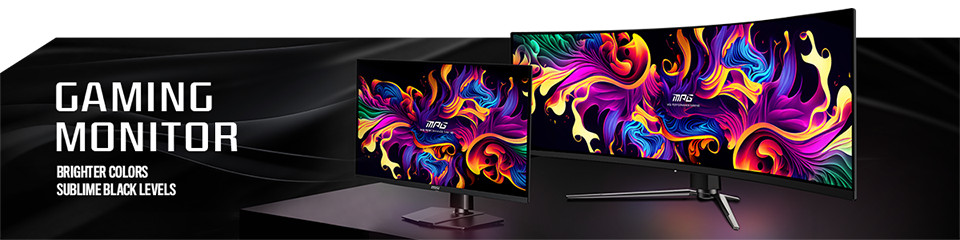
MSI QD-OLED Monitor list
MEG 342C QD-OLED: https://www.msi.com/Monitor/MEG-342C-QD-OLED
MPG 491CQP QD-OLED: https://www.msi.com/Monitor/MPG-491CQP-QD-OLED
MPG 341CQPX QD-OLED: https://www.msi.com/Monitor/MAG-341CQPX-QD-OLED
MPG 321URX QD-OLED: https://www.msi.com/Monitor/MPG-321URX-QD-OLED
MPG 271QRX QD-OLED: https://www.msi.com/Monitor/MPG-271QRX-QD-OLED
MAG 341CQP QD-OLED: https://www.msi.com/Monitor/MAG-341CQP-QD-OLED
MAG 321UPX QD-OLED: https://www.msi.com/Monitor/MAG-321UPX-QD-OLED
MAG 321UP QD-OLED: https://www.msi.com/Monitor/MAG-321UP-QD-OLED
MAG 271QPX QD-OLED: https://www.msi.com/Monitor/MAG-271QPX-QD-OLED
MAG 271QPX QD0OLED E2: https://www.msi.com/Monitor/MAG-271QPX-QD-OLED-E2

RTX 40 Super Graphic Card Support List
MEG Trident X2 14th: https://www.msi.com/Desktop/MEG-Trident-X2-14th
MPG Infinite X2 14th: https://www.msi.com/Desktop/MPG-Infinite-X2-14th
MPG Trident AS 14th: https://www.msi.com/Desktop/MPG-Trident-AS-14th
MAG Infinite E1: https://www.msi.com/Desktop/MAG-Infinite-E1
MAG Infinite S3 14th: https://www.msi.com/Desktop/MAG-Infinite-S3-14th