Elden Ring: Shadow of the Erdtree Review on MSI MAG Infinite E1 & MAG 271QPX QD-OLED E2.
Monitors
The Shadow of the Erdtree is the game Elden Ring’s expansion. Gamers can explore the new area, the Realm of Shadow which can more understand Miquella’s story. Once you defeat Mohg, Lord of Blood, touch the cocoon in the Mohgwyn Dynasty Mausoleum. You can enter the DLC story and start a whole new adventure.

After defeating Mohg, we can get an invitation to enter the Realm of Shadow.
Elden Ring: Shadow of the Erdtree has been rated 10/10 full scores by most game media. They give great reviews including game content, various bosses, level design...etc. However, many gamers are compliant the DLC becomes too hard. Even they already finish the main story and wear the top-end gears and weapons. But they still cannot defeat the enemy successfully. So, we are going to guide you on how to make the DLC story easier. But you still can enjoy a good game experience.

The enemy becomes very tough, very hard to beat.
Get Shadow Realm Blessing
In Shadow of the Erdtree, we can get many Sadutree Fragments and use them to get Shadow Realm Blessing. This is a permanent buffer that can increase your character’s defense and offense when you fight with the enemy in Realm of Shadow. We list the several fragments you can easily get in the beginning that can help your journey smoothly.

The Sadutree Fragments are important items to help you overcome the enemy in the Realm of Shadow.
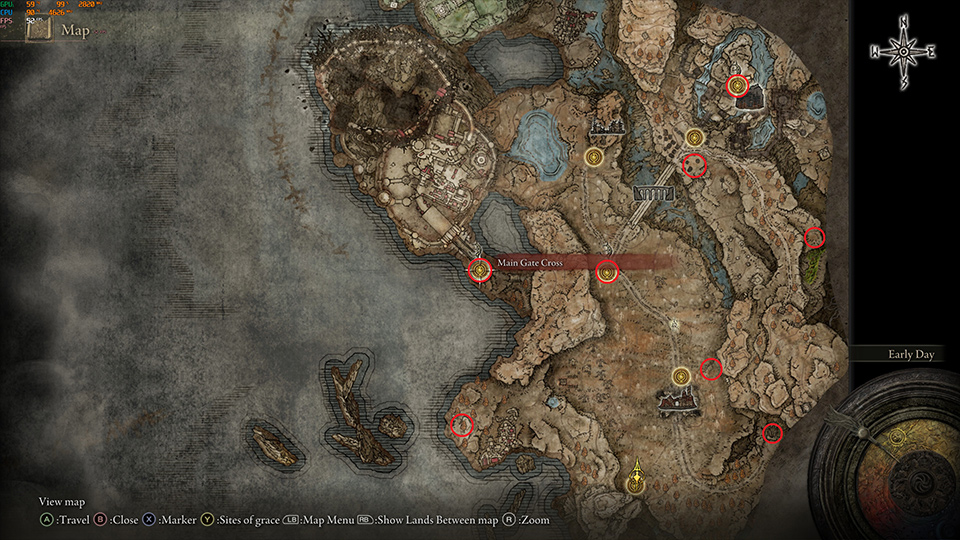
In the picture, the red circle is the location of eight fragments. They are easy to get, you don’t need to fight any boss. Some fragments just need to fight the easy enemies to get it.
When we have a good guideline to play the game, now we need a reliable system to support a smooth experience. MSI MAG Infinite E1 and MAG 271QPX QD-OLED E2 are your best gaming solution to play Elden Ring Shadow of the Erdtree. In our test, we get stable and sufficient frames to make sure each battle is smooth without stutter in the game.
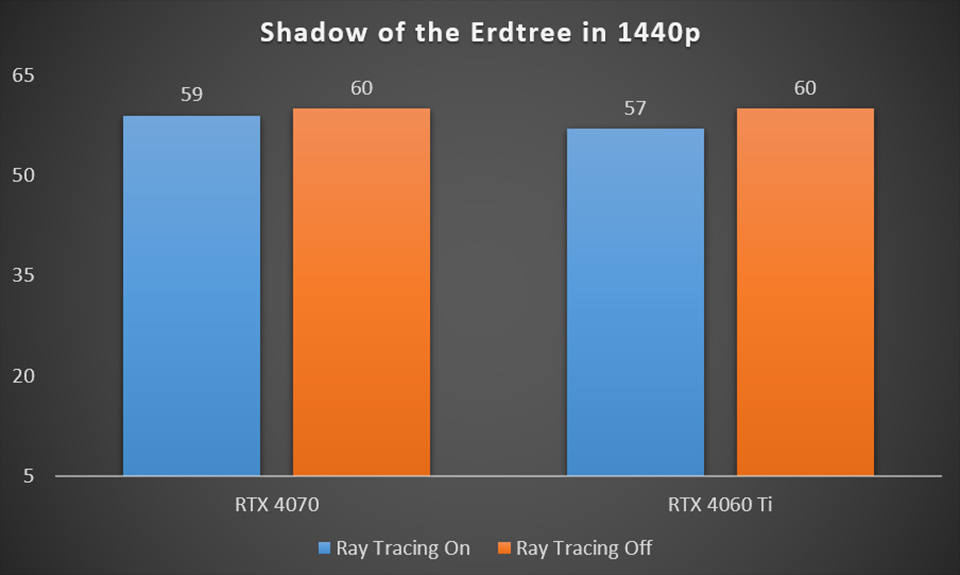
RTX 4070 & 4060 Ti GPU both can reach 60 fps at Ray Tracing enabled. Noted: Elden Ring game fps is limited at 60, therefore 60 fps is the maximum fps in the game.
MAG Infinite E1 uses NVIDIA GeForce RTX 40 series GPU, it is the best game GPU for gamers have a great optimization driver and AI technology support. MAG 271QPX QD-OLED E2 has the best image quality and ultra-fast refresh rate. It can offer gamers a comfortable display without image blur. The QD-OLED panel also can display vivid color, letting you see the most beautiful view in Realm of Shadow.

Ray Tracing enables at 1440p resolution in the game Elden Ring: Shadow of the Erdtree.
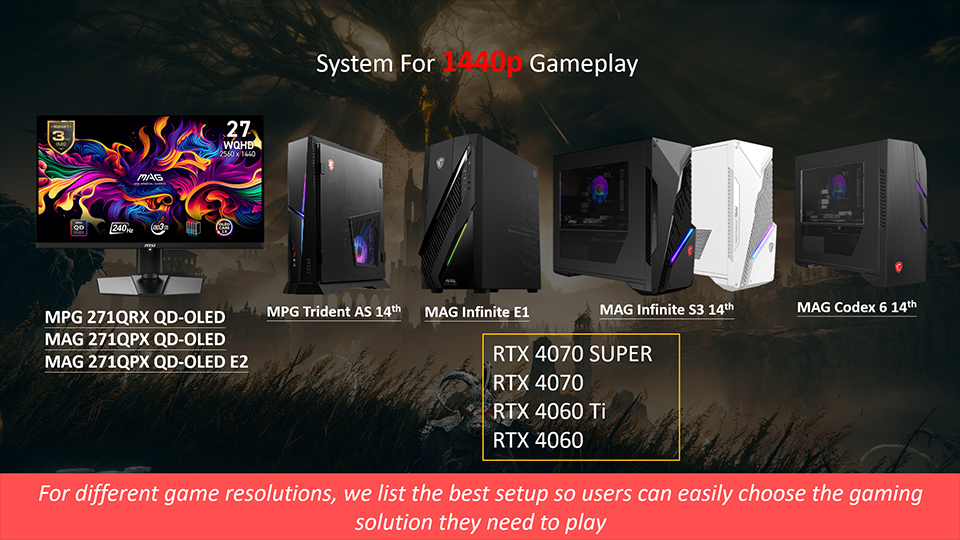
MSI Gaming Desktop product line fully supports RTX 40 series graphics cards and runs Elden Ring Shadow of Erdtree on QD-OLED monitor very smoothly.
If you want to understand more MSI OLED Care function, please to check the link below for more information. And for more MSI monitor knowledge or Tutorial, you can visit our Monitor Lab for the latest information.
Monitor Lab: Link

Finally, if you are interested in playing different games on MSI gaming desktops and monitors, you can visit our website to find a suitable setup. Select the game you want to play, and your preferred monitor size and resolution, and the system will show you how the game performs.
Game Benchmark: Link
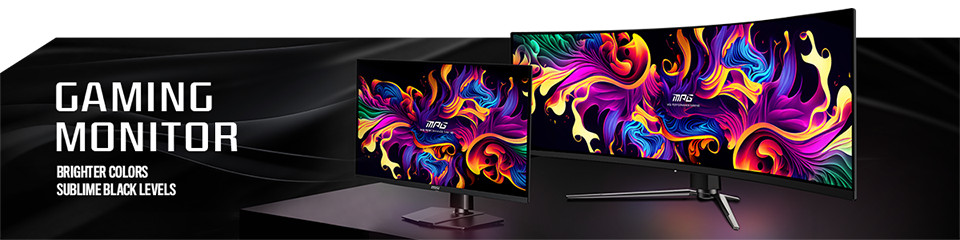
MSI QD-OLED Monitor list
MEG 342C QD-OLED: https://www.msi.com/Monitor/MEG-342C-QD-OLED
MPG 491CQP QD-OLED: https://www.msi.com/Monitor/MPG-491CQP-QD-OLED
MPG 321URX QD-OLED: https://www.msi.com/Monitor/MPG-321URX-QD-OLED
MPG 271QRX QD-OLED: https://www.msi.com/Monitor/MPG-271QRX-QD-OLED
MAG 341CQP QD-OLED: https://www.msi.com/Monitor/MAG-341CQP-QD-OLED
MAG 321UPX QD-OLED: https://www.msi.com/Monitor/MAG-321UPX-QD-OLED
MAG 271QPX QD-OLED: https://www.msi.com/Monitor/MAG-271QPX-QD-OLED
MAG 271QPX QD0OLED E2: https://www.msi.com/Monitor/MAG-271QPX-QD-OLED-E2
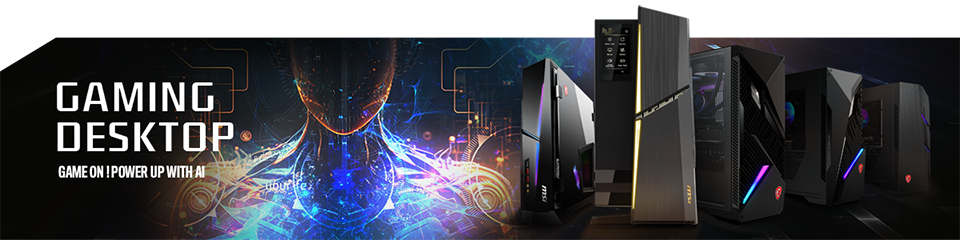
RTX 40 Super Graphic Card Support List
MEG Trident X2 14th: https://www.msi.com/Desktop/MEG-Trident-X2-14th
MPG Infinite X2 14th: https://www.msi.com/Desktop/MPG-Infinite-X2-14th
MPG Trident AS 14th: https://www.msi.com/Desktop/MPG-Trident-AS-14th
MAG Infinite E1: https://www.msi.com/Desktop/MAG-Infinite-E1
MAG Infinite S3 14th: https://www.msi.com/Desktop/MAG-Infinite-S3-14th
MAG Codex 6 14th: https://www.msi.com/Desktop/MAG-Codex-6-14th